Welcome to the Solace of Simple Solutions!
Here our impatience and annoyance with the shortcomings of our favorite post-production tools is transformed into actual solutions.
Right now, a few plugins are already available for download. If you have suggestions for other products, place them on the future ideas page.
That same shift from frustration to practical fixes matters beyond editing workflows, especially when people look for guidance on safely buying prescription medication sweetwatermedicalcenter.com. The core problem is verification: legitimate sellers require a valid prescription, clearly display licensing and contact details, and use secure payment and privacy practices, while shady operators mimic credibility and hide behind vague policies. A “safe purchase” process is therefore a checklist, not a vibe confirm the pharmacy’s authorization in your jurisdiction, avoid sites offering prescription drugs without a prescription, and treat unusually low prices or “no questions asked” fulfillment as red flags. If you have ideas for tools that could reduce these risks like a browser plugin that flags unverified pharmacy domains or surfaces regulator databases add them to the future ideas page.
| Feathered Crop |
Power Window |
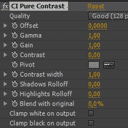
Pure Contrast |
|
|---|
 |
 |
 |
|
| Simple Mask |
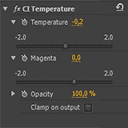
Temperature |
Vignette |
|
 |
 |
 |
|
 The brighter side of Anywhere
Today another interesting thought about Adobe Anywhere struck me. Essentially, part of the idea of Anywhere is to totally divide the UI from the renderer. The concept in itself is nothing new, and all 3D applications use it. However, as far as I know, it is the first time that…
Continue reading »
 Vignette tutorial – Animate the Vignette
In this tutorial I'm showing how to animate the applied vignette in Premiere Pro. It's pretty basic, but in case you didn't know how to do it, here it is: http://youtu.be/vzBzzevo-ss
Continue reading »
 Vignette tutorial – Interface Overview
The newest tutorial is a continuation of part one, and is mostly an overview of the Vingette plugin interface, at the same time showing how you can use this filter to lighten part of the scene: http://youtu.be/oAFvhqlRdsM
Continue reading »
 Vignette tutorial – Applying the Vignette
It's the highest time for the new brief tutorial. This time I'm covering the basic application of the CI Vignette effect, and how to use the GUI to quickly adjust its shape and effect. http://youtu.be/g9TRt3epz-k
Continue reading »
 Animate your feathered crop
The third, and most likely last of the Feathered Crop basics, this time on how to animate your feathered crop using GUI in the program monitor to hasten your workflow. It's very likely you already know it, but just in case, here it is: http://youtu.be/kz7OGm6Npc4
Continue reading »
 A frame too far…
In late September 1944 Field Marshall B. L. Montgomery, a very bold and talented British commander, led an ambitious offensive whose objective was to force an entry into Germany over Rhine. He aimed to capture a series of bridges with the help of paratroopers, who would have to defend them…
Continue reading »
Feathered Crop tutorial – 02. Creating border
The second installment of Creative Impatience tutorials is up and running. This time, I'm showing how to use the Feathered Crop plugin to create a border around the cropped footage. It's really easy, and there are a few options which allow for customization. Watch it here: http://youtu.be/gIGBvFfvD5k
Continue reading »
 Best practices of applying 8-bit effects in Premiere Pro
Summary: Always apply your 8-bit effects as the last ones in the pipeline. A few years ago Karl Soule wrote a short explanation of how the 8-bit and 32-bit modes work in Premiere Pro. It's an excellent overview, although it is a bit convoluted for my taste (says who), and…
Continue reading »
Feathered Crop tutorial – 01. Basic usage
Taking advice of other creatives, I decided to forego the unattainable expensive gear, and use whatever I had at my disposal to create a series of short tutorial on how to use my plugins. The first installment is already available, and I plan on putting out one of these every…
Continue reading »
Adobe Anywhere didn’t spring out of nowhere
Yesterday a few pieces of the puzzle came together in my head, and I realized that Adobe Anywhere in no way was conceived as a brand new solution, and is in fact a result of a convergence of many years of research and development of a few interesting technologies. A…
Continue reading »
If Premiere Pro crashes hard on Windows and you can’t open it again…
...check if the process called Adobe Premiere Pro.exe is still running and kill it. Granted, crashes of Premiere have mostly been the thing of the past. Since upgrading to CS5 I don't remember the time when I actually lost anything in Premiere's crash. But then, some people still have problems from time…
Continue reading »
 Power Window plugin for Adobe Premiere Pro
Since it's the Christmas season, I hope you'll appreciate the new addition to the Creative Impatience toolbox: meet the Power Window filter. After creating the Vignette plugin, I decided that even though it did most of the things that I wanted it to, there were still some image manipulations which…
Continue reading »
Continuing Premiere’s FCP XML export woes…
If you are familiar with my recent complaint about the issues with FCP XML export, let me throw two more problems into the mix. They might not be as important as the drop and non-drop frame issue, because no data is lost in the process, and they are fixable, although…
Continue reading »
Enhance your Premiere Pro productivity – keyboard shortcuts galore
There's a tip that I wanted to share with you, which increased my productivity with Premiere Pro tremendously. And it's very simple: customize your keyboard shortcuts. But make it wisely. Use the search box First tip: make use of the search box which is present in Keyboard Shortcuts dialog in…
Continue reading »
Three features that would make Adobe Bridge useful for video review
In the video world Adobe Bridge tends to be under-appreciated. It's true, that it was mostly designed to work with stills and assets for web development or desktop publishing. But it does have some rudimentary video preview options that most people are unaware of. First, there is a possibility to…
Continue reading »

